


- Contents
Interaction Reporter Help
IVR Summary Abandoned Report
This summary reports by date, and displays level name, interactions, abandoned interactions, average abandoned duration, percent abandoned, repeated abandons, and percent repeated.
Parameters
You specify a range of dates/time access, exit paths, time in menus, and other statistics to help analyze IVR menu effectiveness. IC sorts this report by Interaction Attendant application names and then by date.
|
Report Log Tables |
Interaction Administrator Unique Report Identifier |
|
IVR Interval |
IVR_SUMMARY_ABANDONED_NAME |
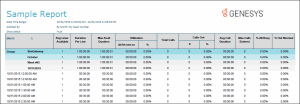
Sample report
Click on the image below to view a sample of this report.
|
Report Element |
Report Field or Value |
Field or Value Description |
|
Site ID |
SiteId (Integer) |
Site Identifier of site reporting data. |
|
Application |
ParentLevels (String--200) |
|
|
Date |
ParentLevels (String--200) |
Starting time of the interval. |
|
Calls Entered |
Integer |
Number of interactions entering this level/ path the first time. |
|
Calls Abandoned |
Formula name: AbortInteract Formula (sums for each report grouping) If {IIVRstats.nExitCode}<>0 and {IIVRstats.cExitPath}<>"*" then {IIVRstats.nEnteredFirst} Else 0
|
|
|
Abandoned Duration |
Formula name: AbortDuration Formula (sums for each report grouping and converts to hh:mm:ss ) if {IIVRstats.nExitCode}<>0 and {IIVRstats.cExitPath}<>"*" then {IIVRstats.nDurationFirst} else 0
|
|
|
Percent Abandoned |
PercentAbort ({@AbortInteractColumn} / {nEnteredFirst} ) *100
See, AbortInteract above, in Calls Abandoned, for formula. |
|
Record Selection Criteria:
IF {?ReportNumber}<=4 THEN
{IIVRstats.dIntervalStart} in {?DateTime} and
{IIVRstats.SiteId} in {?SiteId} and
{IIVRstats.nLevel} in {?Level} and
{IIVRstats.cExitPath} in {?ExitPath}
and
{iivrstats.nexitcode} in {?ExitCode}
eLSE
{IIVRstats.dIntervalStart} in {?DateTime} and
{IIVRstats.SiteId} in {?SiteId} and
{IIVRstats.nLevel} in {?Level} and
(
{IIVRstats.cExitPath} in {?ExitPath}
or
{iivrstats.nexitcode} in {?ExitCode}
)