


- Contents
Interaction Reporter Help
Schedule (Graph) Report
The Schedule (Graph) is a report based on the published employee schedules generated by Interaction Optimizer. This report displays a graph of individuals' start and end times--in 15 minute intervals--of planned work shift activities, for a specified date and time range. Use this report to view a summary of planned work shift activities for a group of individuals in a graph format.
Parameters
Specify a Schedule Name and a start and end range to include in a report. You can also specify a Published Date, user names, and the beginning and ending date and time to include in a report.
|
Report Log Tables |
Interaction Administrator Unique Report Identifier |
|
IO_Schedule IO_ScheduleInterval IO_ActivityType IO_Agent IO_NamedSchedule |
SCHEDULE_GRAPH |
Sample report
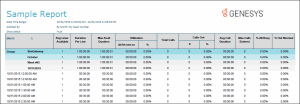
Click on the image below to view a sample of this report.
|
Report Element |
Report Field or Value |
Field or Value Description |
|
Report Title |
ReportTitle |
Schedule (Graph) |
|
Schedule range |
ScheduleName |
Schedule Name, list of Schedule Names, or range. |
|
Published (local time) |
PublishedDate |
Date of Interaction Optimizer published schedule |
|
Users |
Users |
Agent and supervisor names from the generated Interaction Optimizer published schedule. Name of the individual whose scheduled work activities are generated in this report. |
|
Date/Time Range |
BeginDateTimeReport |
The date and time that starts the range for this report. |
|
Date/Time Range |
EndDateTimeReport |
The date and time that ends the range for this report. |
Record Selection Criteria for this report includes:
{IO_NamedSchedule.ScheduleName} in {?ScheduleName} and
Datevalue(ININ_ConvertUTCTimeToLocalTime ({IO_NamedSchedule.PublishedDateTimeUTC} )) in {?PublishedDate} and
{IO_Agent.UserName} in {?Users} and
(
{@IntervalStart} in {?BeginDateTimeReport} to_ {?EndDateTimeReport} OR
( {@IntervalStart} < {?BeginDateTimeReport} and {@IntervalEnd} >= {?BeginDateTimeReport} )
)