


- Contents
PureConnect Release Notes
New Features in Interaction Connect
Interaction Connect includes several new features.
New Directory Types
Interaction Connect now supports additional directory types, such as general, station groups, and workgroups.
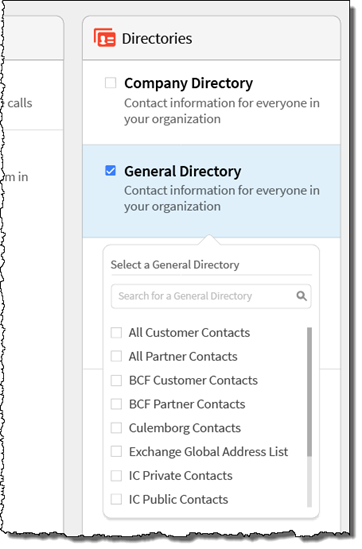
Interaction Connect Directories
Interaction Connect Request Assistance
Agents can now request and receive assistance from workgroup supervisors. This feature is valuable when an agent needs assistance with an interaction. For example, when a caller asks a question that the agent cannot answer.
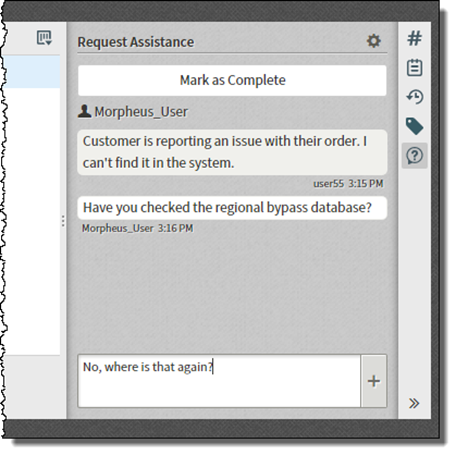
Interaction Connect Request Assistance Feature

User Assistance Request Responses that Need Attention
Interaction Connect and Desktop Memos
Client memos now appear in Interaction Connect and desktop notifications. Client memos allow supervisors and administrators to easily communicate with selected users, workgroups, or roles, by means of brief messages. For example, a supervisor might use a memo when interaction volumes are high to tell agents to go into a specific queue.


Interaction Connect and Desktop Notifications
Interaction Connect Account Codes
Agents can now assign account codes to interactions. An account code is an identifying set of numbers that is assigned to an account name and that agents can add to CIC to associate outgoing and incoming calls.
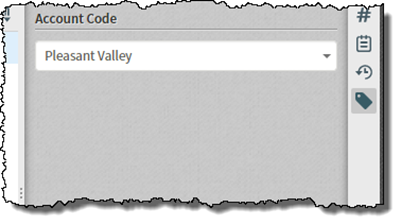
Account Codes
Interaction Connect Single Sign-on Workflow Improvements
CIC 2015 R4 introduces improvements to the logon experience for customers that use single sign-on with Interaction Connect. The new workflow has a much better look and feel and allows the user to select defaults to help speed up the logon process.