


- Contents
Factory Image Restoration Procedures 05 Technical Reference
Verify RAID Configuration
Before you reimage a server, ensure that the server’s RAID configuration matches the default configuration required to restore factory settings.
-
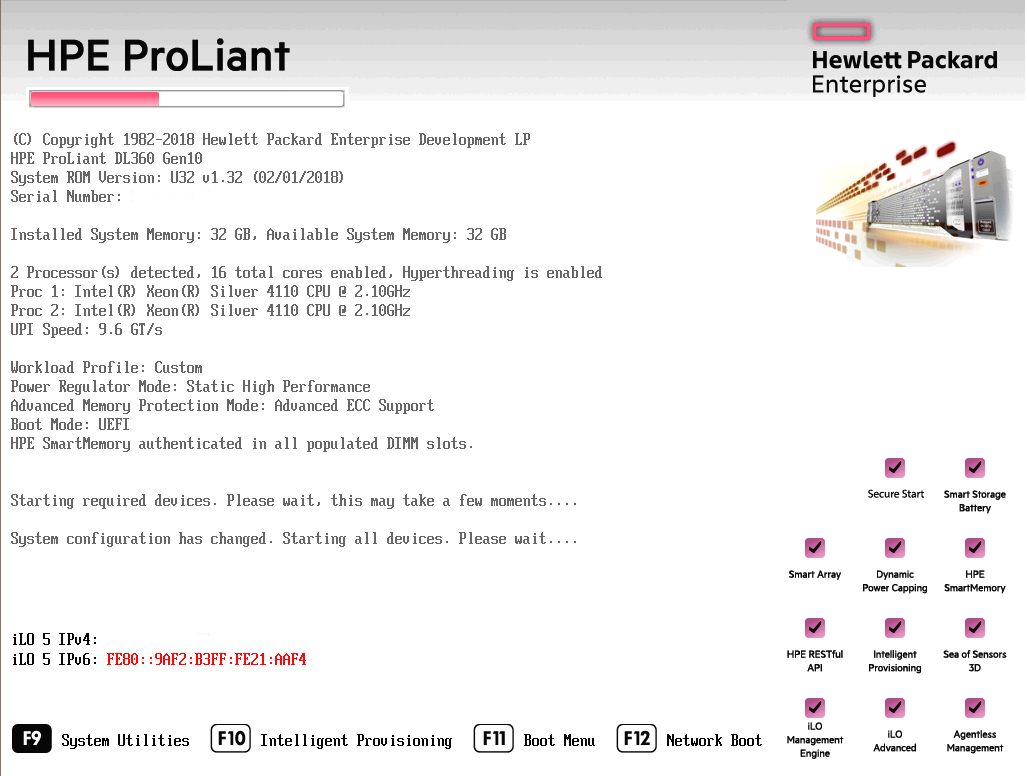
Start the device. The HP ProLiant Power-On Self-Test (POST) begins.
-
Press F9. The System Utilities menu appears.
-
Click System Configuration (see System Utilities Menu in Appendix A).
-
On the System Configuration menu, select the appropriate disk controller:
-
Click Exit and then start HP Smart Storage Administrator (HPSSA).
-
Select HP Smart Storage Administrator (see Select HP Smart Storage Administrator in Appendix A.)
-
After the HP Smart Storage Administrator loads, click the appropriate array controller in the left pane (see Select Smart Array Controller in Appendix A):
-
Under Actions, select Configure.
-
In the left pane, under Controller Devices click Logical Devices. (see Verify RAID Configuration in Appendix A.)
-
Verify that the RAID configuration matches the settings required for the device, according to your server’s configuration requirements listed in the following table.
360 Gen10: HP Smart Array P408i-a Controller
380 Gen10: Smart Array P408i Controller
360 Gen10: Smart Array P408i-a
380 Gen10: Smart Array P408i
|
Device Type |
RAID Configuration Requirements |
|
|
Interaction Application Server |
Based on your server model, verify the existence of the logical drive on the device. If the required logical drive exists, and the status is OK, no further configuration is necessary. Proceed to Restore Factory Defaults. If the required logical drive configuration does not exist, or the status is not OK, delete the current array configuration and recreate it. Proceed to Delete and redefine array configuration. |
|
|
Model |
RAID Configuration |
|
|
360 Gen10 Medium |
Single RAID 1+0 logical drive, consisting of 4 HDDs |
|
|
360 Gen10 Large |
Single RAID 1+0 logical drive, consisting of 4 HDDs |
|
|
380 Gen10 |
Single RAID 1+0 logical drive, consisting of 8 HDDs |
|
|
Interaction Media Server™ |
Based on your server model, verify the existence of the logical drive on the device. If the required logical drive exists, and the status is OK, no further configuration is necessary. Proceed to Restore Factory Defaults. If the required logical drive configuration does not exist, or the status is not OK, delete the current array configuration and recreate it. Proceed to Delete and redefine array configuration. |
|
|
Model |
RAID Configuration |
|
|
360 Gen10 Small |
Single RAID 1 logical drive, consisting of 2 HDDs |
|
|
360 Gen10 Medium |
Single RAID 1+0 logical drive, consisting of 4 HDDs |
|
|
360 Gen10 Large |
Single RAID 1+0 logical drive, consisting of 4 HDDs |
|