


- Contents
Interaction Feedback Technical Reference
Monitor surveys in real-time
Use Interaction Feedback Statistics View in IC Business Manager to monitor surveys in real-time. Interaction Feedback Statistics provides the ability to view real-time statistics for surveys in progress as well as completed surveys and surveys where participants have opted out or abandoned.
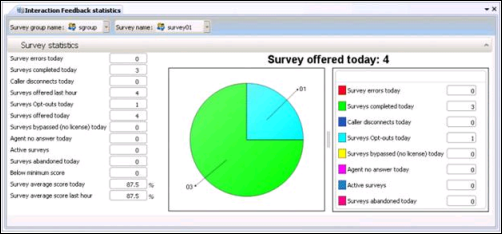
Interaction Feedback real-time monitoring also allows business users to create Alerts for surveys that are in progress.
For complete information on Interaction Feedback Statistics View, see Interaction Supervisor Help in IC Business Manager.
To view surveys in real-time:
-
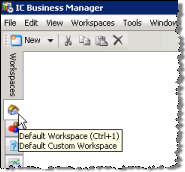
In IC Business Manager, click the Default Workspace module tab.
-
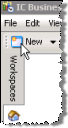
On the IC Business Manager toolbar, click New.
-
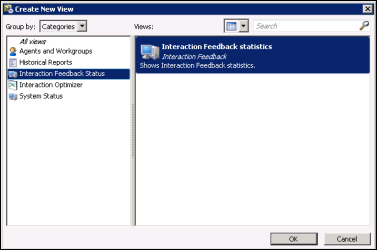
On the Create New View dialog, in the Group by box select Categories, and in the left pane select Interaction Feedback Status.
Interaction Feedback statistics is displayed in the right pane.
-
Click OK.
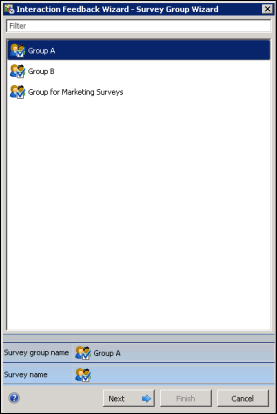
The Interaction Feedback Wizard starts with the Survey Group page displayed.
-
Select a Group in the list box. You can use the Filter box to find a Group listed in the box. Click Next.
-
On the Interaction Feedback Wizard Survey Name page, select a survey from the list and click Finish.
-
The Interaction Feedback statistics page is displayed in the Workspace.
The available Feedback Survey Statistics include:
-
Survey errors today
-
Surveys completed today
-
Caller disconnects today
-
Surveys offered last hour
-
Surveys Opt-outs today
-
Surveys Offered today
-
Surveys bypassed (no license) today
-
Agent no answer today
-
Active surveys
-
Surveys abandoned today
-
Below minimum score
-
Survey average score today
-
Survey average score last hour
For detailed information on using the Interaction Feedback statistics page, press F1 for Help. The Interaction Feedback Statistics view Help is displayed.