


- Contents
Interaction Feedback Technical Reference
Set the Minimum Acceptable Percentage
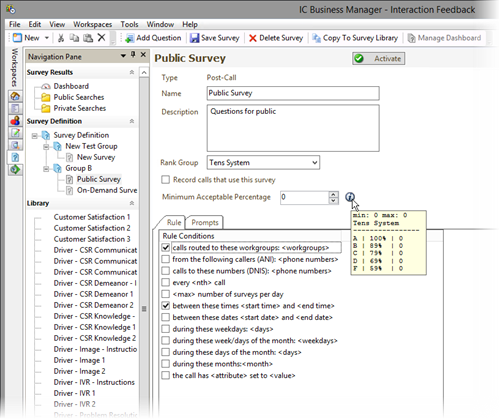
Use the Minimum Acceptable Percentage field to set a minimum score for a survey. Enter the Minimum Acceptable Percentage as a percentage of the maximum score for the survey. Click the information icon, next to the Minimum Acceptable Percentage box, to display a tooltip that assists you in selecting the percentage for the minimum acceptable score for the survey. The Minimum Acceptable Percentage is the value that is used for Alert notification in Interaction Supervisor.

The tooltip is displayed next to the Minimum Acceptable Percentage box.
When you have completed making your changes, click Save Survey
 .
.