


- Contents
PureConnect Installation and Configuration Guide
Configure stations
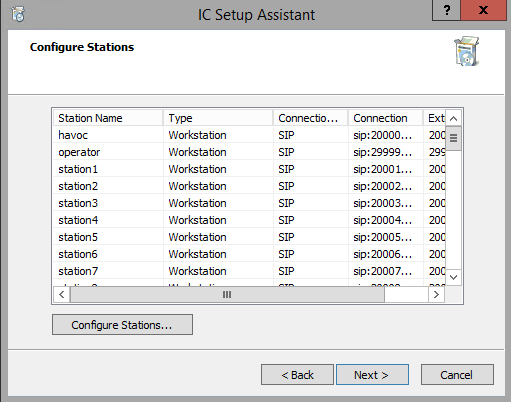
The Configure Stations screen enables you to create multiple SIP stations for non-managed IP phones and/or standalone fax machines using Add Stations Assistant. Non-managed IP phones include:
-
Analog stations connected via SIP FXS gateways.
-
SIP handsets from vendors that are not included in PureConnect's managed IP phone implementation.
Important: If you plan to implement managed IP phones
Click Next to skip this step and proceed with IC Setup Assistant. You will create managed IP phones and associated SIP stations using Managed IP Phones Assistant post-installation in Interaction Administrator.
For more information, see "Post-Installation Configuration" and the CIC Managed IP Phones Administrator's Guide in the PureConnect Documentation Library.
If you plan to implement non-managed IP phones and/or standalone-alone fax stations
You can create multiple SIP stations for non-managed IP phones and/or stand -alone fax machines now in IC Setup Assistant or post-installation in Interaction Administrator using CSV SIP Station List as described in "Prepare for IC Setup Assistant" in this section.
-
To create them now, click the Configure Stations button to open the Add Stations Assistant. Click Help (?) for instructions.
-
To create them post-installation, click Next to skip this step and proceed with IC Setup Assistant. See "Post-Installation Configuration".