


- Contents
PureConnect Installation and Configuration Guide
Select Mail Provider in IC Setup Assistant
You can choose to select the Mail Provider and configure for Exchange when running IC Setup Assistant as part of the initial CIC 2015 R1 or later installation, or post-installation in Setup Assistant. This section describes both options.
Note: If you choose configure users in IC Setup Assistant, we recommend selecting the Mail Provider and configuring for Exchange in IC Setup Assistant so that you can assign mailboxes when configuring the users.
Select Mail Provider in IC Setup Assistant
-
In the IC Setup Assistant Select Mail Providers dialog box, select I want to configure mail providers and select Microsoft Exchange Server.

-
Click Next. A progress bar appears indicating IC Setup Assistant is gathering mail provider information.
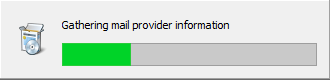
When the process is complete, the Mail Provider Summary dialog box appears. -
In the Mail Provider Summary dialog box, verify the mail provider entries are correct.
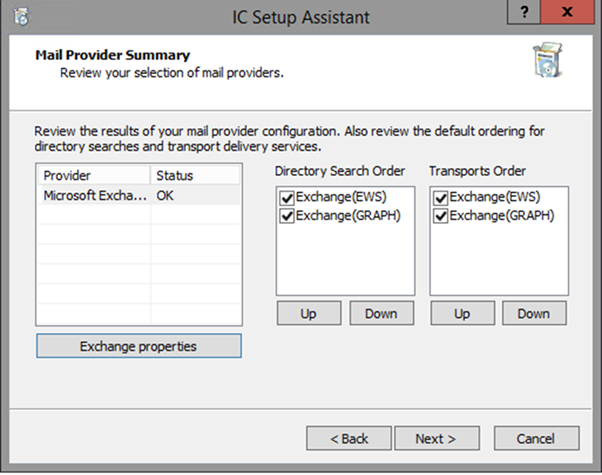
Provider: Lists Microsoft Exchange as the selected provider.
Directory Search Order: This directory contains the lookup information for contacts (first name, last name, etc.) This column shows the default order of mail provider directories that CIC will use to search for a user's mailbox. Exchange Web services(EWS) and Exchange Graph (Graph) are initially enabled by default. Disable Exchange MAPI because it is no longer supported.

Transports Order: Transports handle
the delivery of mail (for example, voicemail, ACD email replies, Supervisor
alerts, and notifications) from CIC to a mail server using the respective
mail integration(s). This column shows the default order in
which a message will be attempted for delivery. EWS can handle SMTP-specified
addresses (e.g., user@company.com). Exchange Web services (EWS) and Exchange
Graph (Graph) are initially enabled by default. Disable Exchange MAPI
because it is no longer supported.

-
To configure Exchange, click Exchange Properties. The Exchange Configuration dialog box appears. Proceed to Exchange Configuration.