- Contents
PureConnect Installation and Configuration Guide
Supported fax platforms: T.38 and T.30 (fax over IP)
Faxes transmitted or received over the IP network on a CIC Server and Interaction Media Server use the T.38 or T.30 protocol if supported by the remote device. The T.30 protocol is supported in CIC 4.0 SU 6 and CIC 2015 R1 or later.
Unless otherwise specified, the PureConnect QoS driver is automatically installed on the CIC server and Interaction Media Server to add QoS to fax over IP protocols.
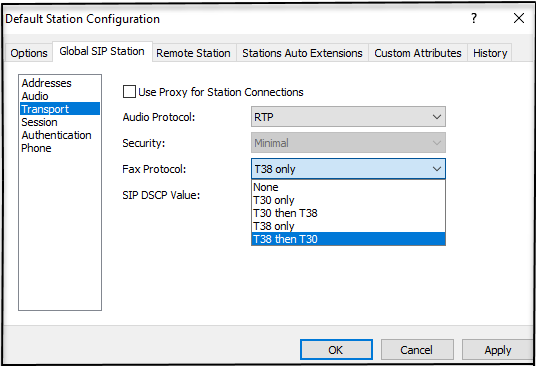
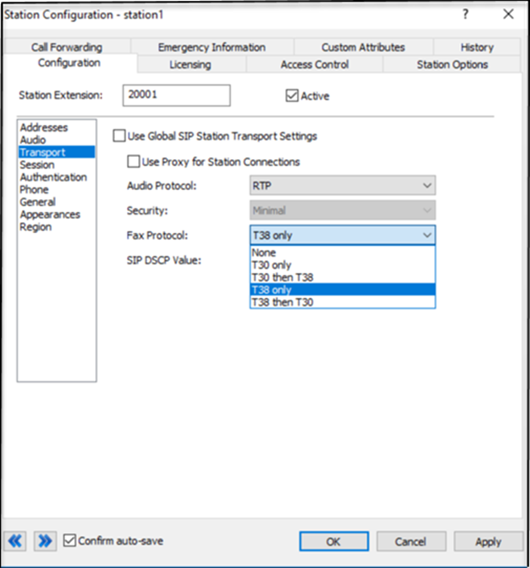
By default, CIC uses T.38 for fax over IP. Using the Default Station Configuration/Global SIP Station dialog box or the Station Configuration/Configuration dialog box for Transport in Interaction Administrator, you can:
- Disable fax for over IP.
- Enable T.30 faxing only.
- Enable T.38 faxing only.
- Enable fax attempts to first use T.38 followed by T.30.
- Enable fax attempts to first use T.30 followed by T.38.
For more information, see Interaction Administrator Help.