


- Contents
PureConnect Installation and Configuration Guide
Verify or create non-managed SIP stations
If you did not create non-managed SIP stations for non-managed IP phones and/or, stand-alone fax machines when you ran IC Setup Assistant, create them now in the Interaction Administrator Stations container, using Add Stations Assistant or create them individually.
Verify non-managed SIP station configuration
The following figure shows a Station Configuration screen for the IP connection type for non-managed IP phones.
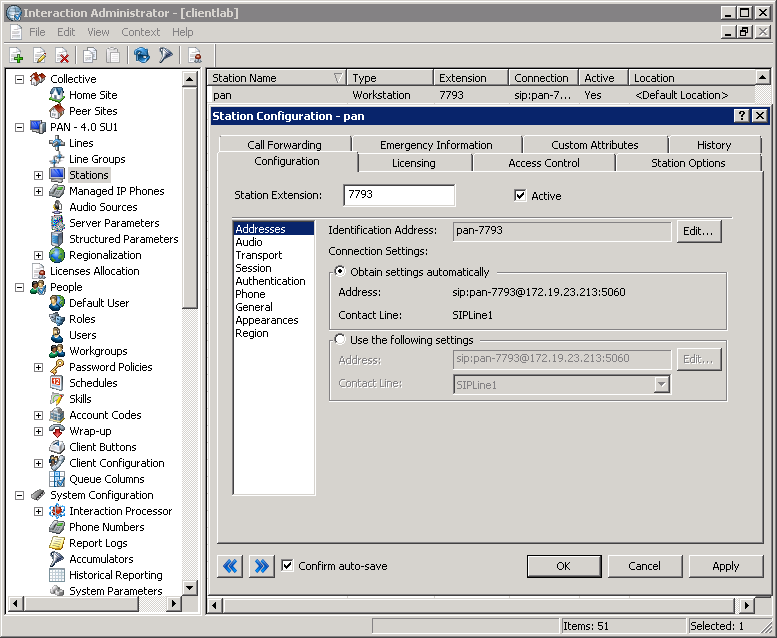
Ensure that each station created when you imported a CSV SIP station list in IC Setup Assistant has a station type, extension, and the appropriate default station values for the station and connection type.
If you assigned Basic Station licenses or other licenses when you ran IC Setup Assistant, review the licenses assigned to each station. For information about allocating licenses assigned to stations and users, see "Allocate Access licenses".
For more information, see the Interaction Administration help.