


- Contents
PureConnect Licensing Technical Reference
Update Existing License
You can update an existing license to increase the number of stations or lines.
Product upgrade request
Existing CIC 4.0 installations do not require any changes to the CIC 4.0 license to upgrade to CIC 2015 R1 or later. You don't have to request a product upgrade to upgrade from CIC 4.0 GA through SU 6 to CIC 2015 R1 or later.
Update a license
To update your license
-
Open the Activation File Management Tool. The Account Summary tab appears, with a summary of all ordered items available to license for an account.

-
Click the Activation File Activity tab.
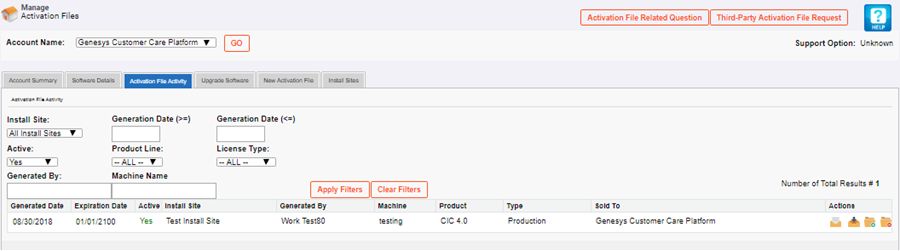
Note: CIC 4.0 Production
licenses include the information for both servers in a switchover pair.
If you have licensing for switchover and you specified the information
for both servers when you generated and downloaded your license, your
license shows the Multiple Servers icon beside the server name in the
Machine column. If you hover over the icon, a pop-up
appears with information for both server names.
If you didn't provide the information for the second server in the switchover
pair when you generated and downloaded your license, you can specify the
information when you update your Production license.
-
In the Actions column, click the Update icon
 for the license to update. The Activation File Update page
appears.
for the license to update. The Activation File Update page
appears.

-
Update the license information and then click Update Activation File. The system updates your licenses and displays a message indicating that the activation file updated successfully.

-
Click Download Activation File. The file downloads to your default download folder. The file name extension is "I3Lic".
-
Load the license file in Interaction Administrator.