


- Contents
Managed IP Phones Administrator Guide
SIP Soft Phone Installation
The SIP Soft Phone is a selectable feature on the Custom Setup page of the IC User Applications install (32-bit and 64-bit).
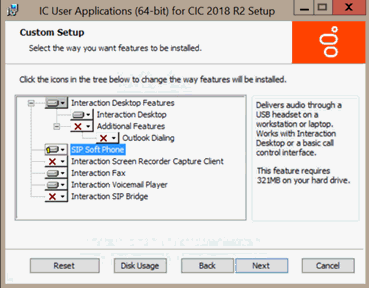
Ensure that you select this feature when installing IC User Applications on workstations that use the SIP Soft Phone. If not installed during initial installation, click IC User Applications in the Control Panel -> Programs and Features, and then click Change to open the Custom Setup page. Click the SIP Soft Phone feature.
On the QoS Requirement page, click PureConnect QoS driver to add the PureConnect certificate to the Trusted Publishers list and install the PureConnect QoS driver.

For more information:
-
For instructions on installing IC User Applications, see the PureConnect Installation and Configuration Guide.
-
For more information about the PureConnect QoS driver, see Implement QoS in Your Environment and the PureConnect KB article.