


- Contents
Genesys Cloud for PureConnect Administrator's Guide
Start Genesys Cloud with the Collaborate button
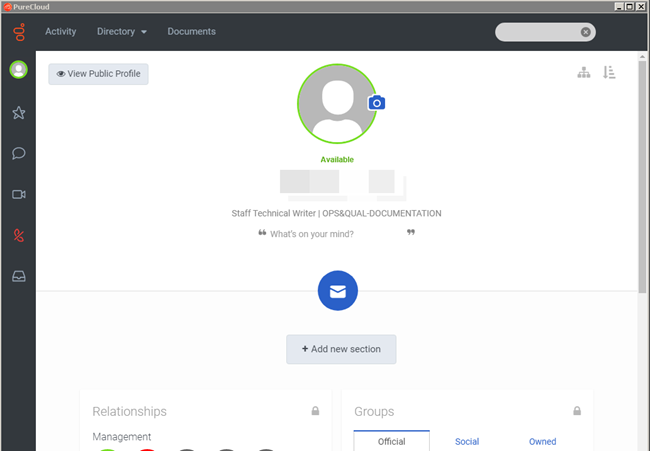
After you complete Genesys Cloud for PureConnect configuration, Interaction Connect and Interaction Desktop client users can use the Collaborate button for single sign-on to Genesys Cloud. This opens the Genesys Cloud Profile view. Encourage these CIC users to explore Genesys Cloud.
-
Click the Collaborate button.


-
The user automatically logs on to Genesys Cloud.
-
Genesys Cloud appears in a new browser tab.
Explore Genesys Cloud
Encourage users to explore Genesys Cloud. Here are a few things users can do:
-
Profiles – Complete user profile – add contact information, photo, and more. Set user status.
-
Search – Search across the directory for individuals and groups in the organization
-
Hierarchy views – Browse the structure of the organization
-
Documents – Store, organize, and share files with other users
Future releases will contain more features.