


- Contents
Interaction Recorder Technical Reference
Re-evaluate
Policies are re-evaluated from top to bottom when an interaction is completed and de-allocates, or when the recording retention expires. When you make a change to a Retention Policy or Security Policy you can immediately re-evaluate the policy by clicking Re-eval on the toolbar. For the Re-eval button to be available, all policies need to be saved. On the Re-evaluate retention policies dialog, select which recordings to apply retention policies, or security policies, to.
When policies are in the process of being re-evaluated, a progress indicator is displayed at the bottom of the Policy Editor window.
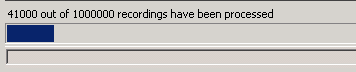
While the progress indicator is displayed, the Re-eval button is replaced with a Cancel button.

To stop the re-evaluation process, click Cancel.