


- Contents
PureConnect Reporting Technical Reference
Examples of Edited Reports
We have compiled some of the most common report edits, such as adding, changing, or deleting fields or formulas in existing CIC reports, to give you a guideline for your report customization needs. These examples are only possible if you are working with reports that query data from exactly the same database tables.
For the examples in this section, we use the User Summary by Date report (usersummary.rpt) and the User Call Detail report (userdetail.rpt).
CIC ships with many Crystal Report templates. These templates are stored in a Reports directory on your CIC server. Use one of these templates to display the custom call attribute you created.
Note
When you customize reports, you also make several ODBC configuration changes.
The reporting install creates an EIC_TABLES ODBC data source on the machine
where the install is executed. However, this data source does not contain
all of the information needed to connect to the CIC reporting tables so
that you can edit reports. Use the ODBC data source configuration wizard,
as shown in the following figure, to correctly configure this for use
with Crystal reports.
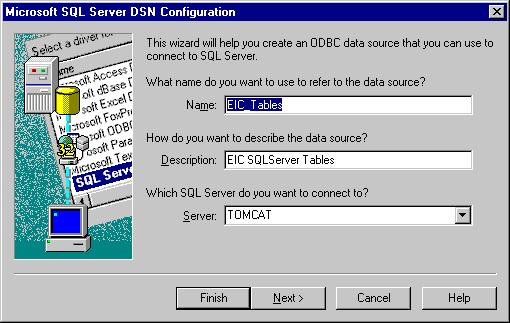
Set the correct SQL Server, network protocol, and default database (i3_eic), and then execute the data source test, as shown in the following figure.
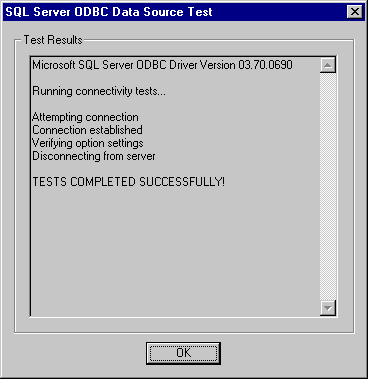
After you complete this configuration, the data source will be available from within Crystal. You are now ready to run Crystal Reports.