


- Contents
Interaction Web Tools Technical Reference
Installation Overview
The following summarizes the installation process required on the web server to enable it to run Interaction Web Tools.
To install Interaction Web Tools on the web server
-
Perform the necessary configuration in Interaction Administrator.
-
Install Application Request Routing (IIS only).
-
Verify that the Application Request Routing proxy functionality is enabled:
-
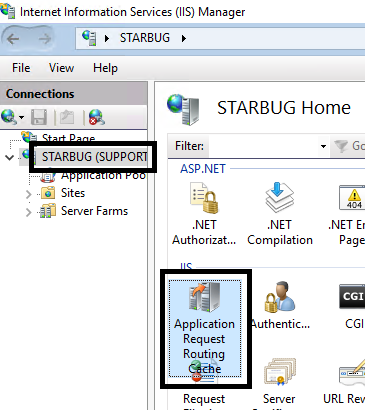
Open the IIS Manager navigation page and select the desired server. Double-click Application Request Routing Cache.
-
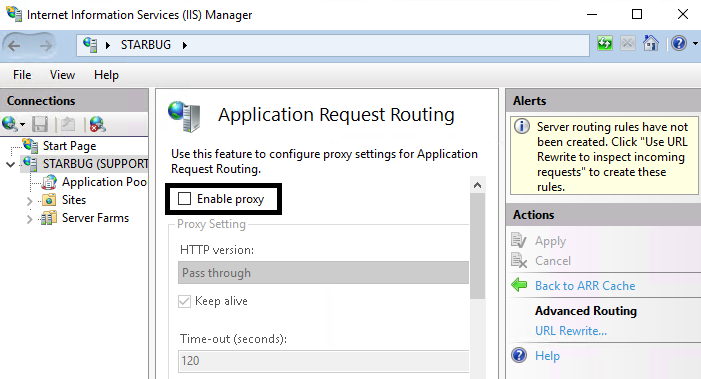
Under Actions, click Server Proxy Settings.

-
Make sure Enable proxy is selected.
-
Unzip the Web Tools files from the CIC server shared directory, IC_WebServicesChat, to the web server.
-
Run the Interaction Web Tools Configuration utility to designate your website, select connection type, and choose the target queues for chats and callbacks.
-
Configure Interaction Web Tools.
-
Configure your web server as a reverse proxy.
-
Test your installation.