


- Contents
- Index
Interaction Media Streaming Server Technical Reference
Use Interaction Media Streaming Server external audio sources with handlers
You can configure the Play Audio File tool step in a handler to use an external audio source from an Interaction Media Streaming Server.
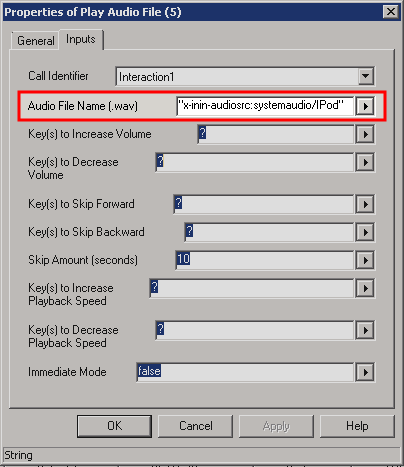
You specify the Interaction Media Streaming Server external audio source in the Audio File Name (.wav) box on the Inputs tab of the Properties of Play Audio File dialog box.
You specify the Interaction Media Streaming Server external audio source in the following format:
x-inin-audiosrc:systemaudio/<external audio source>
<external audio source> is the name of the Interaction Media Streaming Server external audio source that you define on the External Audio tab of the Interaction Media Streaming Server web interface.For more information about the External Audio tab, see Configure external audio settings.
For more information about the Play Audio File tool step, see the "Play
Audio File" topic in the Interaction Designer
documentation
at: https://help.genesys.com/cic/mergedProjects/wh_id/desktop/hid_introduction.htm.