


- Contents
- Index
PureConnect Licensing Technical Reference
Download the activation file
After generating and viewing the license, download the activation file to the IC server or a location accessible from the IC server.
To download the activation file
-
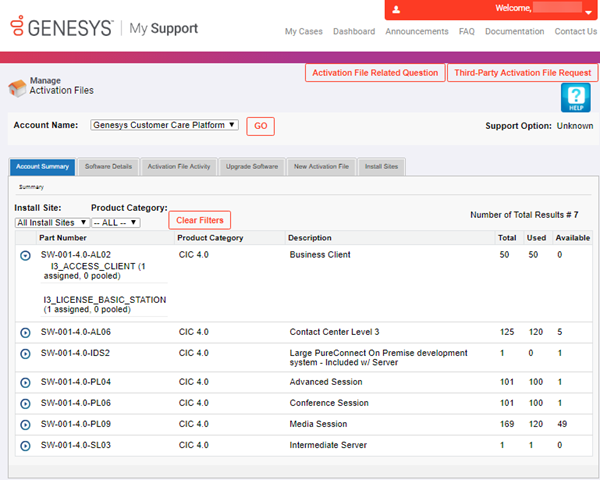
Open the Activation File Management tool. The Account Summary tab appears.
-
Click the Activation File Activity tab.

-
In the Actions column, click the Download icon
 . The file
downloads to your default download location (for example, your Downloads
folder) with a file name extension of "I3Lic.".
. The file
downloads to your default download location (for example, your Downloads
folder) with a file name extension of "I3Lic.".
IC Setup Assistant and other installations such as Language Packs require this license file. The system requests it when you install the CIC server software.