

- Contents
CIC Migration Guide: Installation and Configuration Guide
Configure Maximum Lines Per Campaign
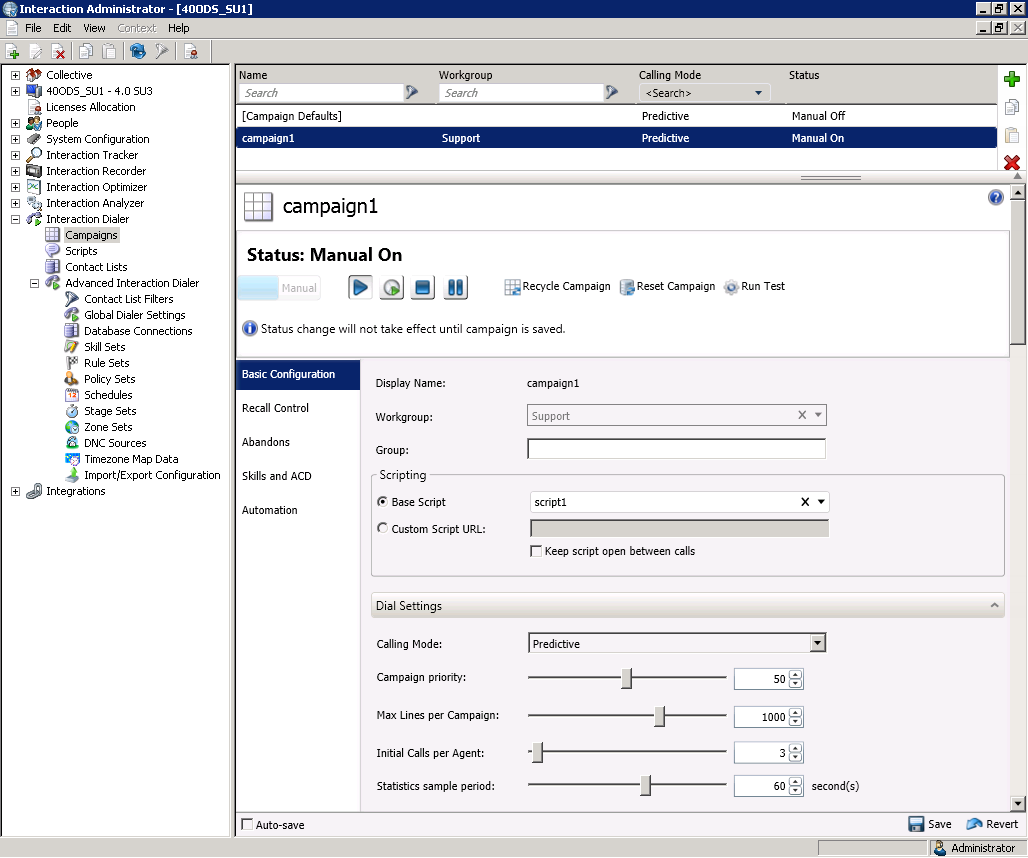
The Max Lines per Campaign setting controls the maximum number of lines that each Outbound Dialer server can use to conduct the campaign. Each Outbound Dialer server maintains this number of calls concurrently to utilize the maximum number of lines. The maximum value is 2000 lines.
In Interaction Dialer 2.4 and 3.0, this setting was only accessible with an agentless campaign. In Interaction Dialer 2015 R1 or later, you can configure maximum lines for any campaign.
To configure maximum lines per campaign
-
Open Interaction Administrator.
-
In the Interaction Dialer > Campaigns container, select the campaign to configure and then click Basic Configuration.
-
In the Dialer Settings group box next to Max Lines per Campaign, use the slider or the up and down arrows to set the maximum number of lines each Outbound Dialer server uses to conduct the campaign.