


- Contents
Zendesk Screen Pop Connector Help
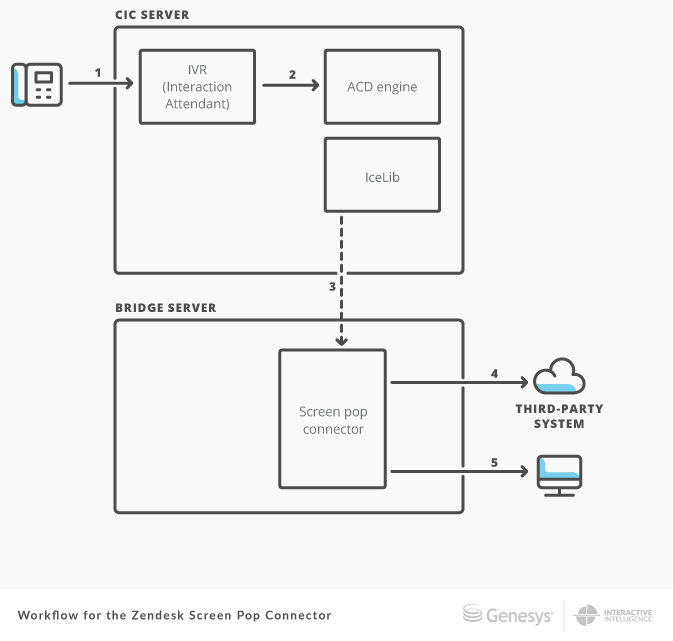
Workflow for the Zendesk Screen Pop Connector
The following is a common workflow using a screen pop by ANI action with the screen pop connector.
-
A phone call comes into the IVR. Based on the ANI of the call, the IVR sets an interaction attribute within the screen pop step.
-
The IVR transfers the interaction to a workgroup queue. The ACD engine then assigns the interaction to an agent.
-
The connector uses IceLib to monitor agents in the workgroup for interactions with this screen pop attribute and to watch these interactions.
-
When a watched interaction begins alerting or goes connected, the connector uses the ANI value that was added in the IVR to perform a data dip into the third-party system. The connector retrieves the contact or ticket ID from the third-party system.
-
The connector then performs a screen pop in an agent’s browser that shows the record with that ID from the third-party system.