


- Contents
Interaction Administrator Web Edition Help
Add a Response Management File
Use a file item as a pointer to a file on the network that you frequently share with customers. You can add a response management file item to a library or category.
The item settings are configured in detail tabs. In the details view, you can click the section expanders to display or hide the sections' contents.
To create a file response item:
-
In the Response Management library or category details view, click the
 to add a response item.
 -
In the Type section, select File.
-
Do one of the following:
-
-
Click Browse. In the Open dialog box, locate and select the appropriate file and then click Open.
-
Use Windows Explorer to locate and select the appropriate file and then drag and drop the file in the Drop file here area.
-
-
In the Name text box, type a name for this file.
Note: Response Management provides a full-text search tool that uses the information in Name, Shortcut, and Labels along with the response item's content to find a response.
Tip: Name identifies the response item, but does not have to be unique. If you do not provide a name, it defaults to the first few characters of the file's directory path.
-
In the Shortcut text box, type a short name, abbreviation or code for this response.
Tip: Use this Shortcut to insert a response item where needed by typing the shortcut and then pressing Ctrl+Space. The shortcut does not have to be unique. For example, you could use the shortcut "TS" for all your files containing troubleshooting tips.
-
In the Labels text box, type a space-separated list of words that identify or classify this response item.
-
Click Save.
Note: To save a new item, all required information must be entered. Details tabs containing incomplete or erroneous information, are shown with an error message:
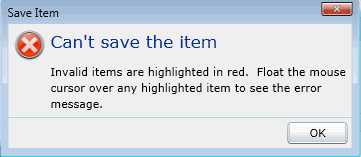
Tip: You can edit or delete multiple files or messages by selecting consecutive items with the Shift key and click, or multiple items with the Control key and click.
Related Topics: