


- Contents
Interaction Reporter Help
Queue Activation by Agent Report
This report lists each agent in the specified range who have been activated or deactivated in an ACD or Custom workgroup queue during the given time period. Agents who have not been activated or deactivated during that time do not appear in this report. For each agent listed, the report shows the date and time of the change, the name of the workgroup and whether or not that workgroup has a queue, if the agent was activated or deactivated in the queue, and by whom.
Agents with the appropriate Access Control permissions ("Activate Self") can activate or deactivate themselves from a particular queue via the Workgroup Activation dialog in Interaction Client. Likewise, administrators and supervisors with the appropriate Access Control permissions ("Activate Others") in Interaction Administrator can activate or deactivate agents from queues via Interaction Supervisor or Interaction Administrator. This report indicates who activated or deactivated the agent, and the time of the activation/deactivation events.
The activation and deactivation event criteria includes:
-
When an agent is activated or deactivated from the Workgroup Activation dialog in Interaction Client or Interaction Supervisor.
-
When a user is added or removed from an ACD or Custom workgroup in Interaction Administrator. By default, users are added in an Activated state.
-
When an ACD or Custom workgroup is created or deleted in Interaction Administrator. By default, users are added in an Activated state when the workgroup is created.
Note:
Agents can be logged in to an IC server but not necessarily "active"
in the workgroup queues in which they are members. In addition, agents
can be activated or deactivated on a per queue basis. By default, agents
are added to workgroups in an "Activated" state.
Parameters
You specify a range of dates, times, site IDS, agents and workgroups to include in the report. IC sorts this report by Site ID, Agent, Date, Time, and Workgroup. If you specify a range of workgroups, only ACD and Custom workgroup queues are included in the report.
Note The Shift Time Range parameter has a default value of 12:00 AM to 11:59 PM.
|
Report Log Tables |
Interaction Administrator Unique Report Identifier |
|
AgentQueueActivationHistoryLog |
AGENT_ACTIVATION_BY_WORKGROUP |
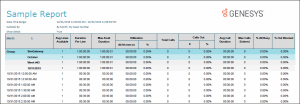
Sample report
Click on the image below to view a sample of this report.
Visual Elements
|
Report Element |
Report Field or Value |
Field or Value Description |
|
Site ID |
SiteId |
Appears in multi-site environments and reflects the numeric site identifier for each site in the range. |
|
Agent |
UserId |
Shows the name of each agent who was activated or deactivated in the queue during the specified time range. Agents who were not activated or deactivated during that time do not appear in the report. Also, agent activation and deactivation events are independent of the agent's user status and logged in status. |
|
Workgroup |
Workgroup |
Shows the name of each ACD and Custom workgroup queue included in the report parameter range. |
|
First Change |
(derived) |
Shows the date/time of the first activation or deactivation change in the specified time range for the current Site ID and Workgroup. |
|
Last Change |
(derived) |
Shows the date/time of the last activation or deactivation change in the specified time range for the current Site ID and Workgroup. |
|
Total Changes |
(derived) |
Shows the total number of agent activation and deactivation changes for the current Site ID and Workgroup. |
|
Date Time |
ActivationDateTime |
Shows the local date and time an agent was activated or deactivated in a queue. See top of this page for activation and deactivation criteria. |
|
Has Queue? |
HasQueueFlag |
Shows yes if the named workgroup is defined in Interaction Administrator as an ACD or Custom workgroup with a queue. In the current release, only ACD and Custom workgroup queues can activate and deactivate agents. |
|
Activated |
ActivationFlag |
When an agent is activated in a workgroup queue, the entry appears as "Yes" in the Activated column. When an agent is deactivated, the entry appears as "No". |
|
By Whom? |
ActivatedBy |
Shows
the IC user name or role of the person who activated or deactivated
the agent. |
Record Selection Criteria:
{AgentQueueActivationHist.userID} in {?Agent} and
{AgentQueueActivationHist.WorkGroup} in {?Workgroup} and
{AgentQueueActivationHist.ActivationDateTime} in {?DateTime} and
{@StatusTime} in {?ShiftTime} and
{AgentQueueActivationHist.SiteID} in {?SiteId}