


- Contents
Interaction Reporter Help
Survey Scoring Detail Report
The Survey Scoring Detail report shows the average survey score for agents during a date and time range. The report also shows survey detail by user, including survey scores, percentile, and score and weight by question. This report includes data from completed surveys.
Tip This report contains a bar graph. In order to make the chart easier to read, consider limiting the number of users selected at a time.
Parameters
Specify a range of dates and times, name of a survey, and users to include in the report.
|
Report Log Tables |
Interaction Administrator Unique Report Identifier |
|
vcssSurveyScoringDetail Survey |
SURVEY_SCORING_DETAIL |
Sample report
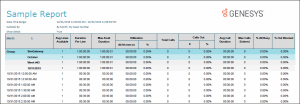
Click on the image below to view a sample of this report.
|
Report Element |
Report Field or Value |
Field or Value Description |
|
Scores - Average |
|
Average survey score based on selected users for this report |
|
Scores - Percentile |
|
Percentile based on selected users for this report |
|
Scores - All users - Average |
|
Average survey scores based on all users |
|
Scores - All users - Percentile |
|
Percentile based on all users |
|
Minimum |
|
Minimum score |
|
Maximum |
|
Maximum score |
|
Ranking |
|
Ranking definition as configured in Interaction Feedback |
|
Avg of Score / IC User |
|
Bar graph displaying the average score for the IC Users included in this report |
|
Surveys for this user |
|
Survey details for user including Avg. Score and Percentile for all surveys included in this report. Survey details for user by survey included in this report, including: Score and Percentile. Survey details for user by Question for surveys included in this report, including Score and Weight. |
Record Selection Criteria:
( isnull({vcssSurveyScoringDetail.EventDate}) or {vcssSurveyScoringDetail.EventDate} in {?SurveyDateTime_GMT}) and {vcssSurveyScoringDetail.SurveyName} in {?Survey} and
{vcssSurveyScoringDetail.ICUserId} in {?Users} and
{vcssSurveyScoringDetail.IsCompleted}<>0