


- Contents
Interaction Reporter Help
Survey Scoring Summary Report
The Survey Scoring Summary report shows the average survey score for agents during a date and time range. It also includes a list showing Average Score and Percentile per User for the selected survey. This report includes data from completed surveys.
Tip This report contains a bar graph. In order to make the chart easier to read, consider limiting the number of users selected at a time.
Parameters
Specify a range of dates and times, name of a survey, and users to include in the report.
|
Report Log Tables |
Interaction Administrator Unique Report Identifier |
|
vcssSurveyScoringDetail Survey |
SURVEY_SCORING_SUMMARY |
Sample report
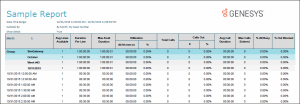
Click on the image below to view a sample of this report.
|
Report Element |
Report Field or Value |
Field or Value Description |
|
Scores - Average |
|
Average survey score based on selected users for this report |
|
Scores - Percentile |
|
Percentile based on selected users for this report |
|
Scores - All users - Average |
|
Average survey scores based on all users |
|
Scores - All users - Percentile |
|
Percentile based on all users |
|
Minimum |
|
Minimum score |
|
Maximum |
|
Maximum score |
|
Ranking |
|
Ranking definition as configured in Interaction Feedback |
|
Avg of Score / IC User |
|
Bar graph displaying the average score for the IC Users included in this report |
|
Scores - Per User - Percentile |
|
Average Score and Percentile Per User |
Record Selection Criteria:
( isnull({vcssSurveyScoringDetail.EventDate}) or {vcssSurveyScoringDetail.EventDate} in {?SurveyDateTime_GMT}) and {vcssSurveyScoringDetail.SurveyName} in {?Survey} and
{vcssSurveyScoringDetail.ICUserId} in {?Users} and
{vcssSurveyScoringDetail.IsCompleted}<>0