


- Contents
Tokenizer Configurator Help
Start Tokenizer Configurator
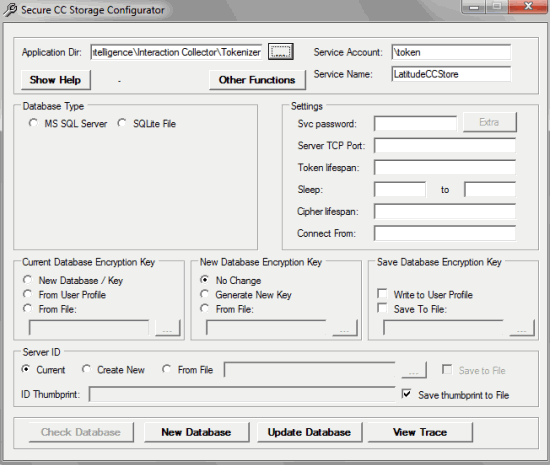
Use the Secure CC Storage Configurator window to set up required entities and establish relationships between Payment Vendor Gateway and the Tokenizer Database.
To start Tokenizer Configurator
-
Click All Programs > Latitude Software > Tokenizer Tools > Tokenizer Configurator. The Secure CC Storage Configurator window appears.
Note: If you just ran the Tokenizer installer, the Tokenizer Configurator opens automatically.
-
Next to the Application Dir box, click the ellipsis (...).
-
Select the Tokenizer installation directory. The default location is "C:\Program Files(x86)\Latitude Software\Tokenizer".
-
Continue to the next step in the checklist.