


- Contents
Create a Search Condition
Use the Conditions pane on the Advanced Search tab of the Latitude Search - Search for Account window to build a query to search for accounts.
To create a search condition
-
In the Main Menu window, click Work or press Alt + W. The Work Form appears. The Work Form appears.
-
From the Search menu, click Search or press Ctrl + F. The Latitude Search - Search for Account window appears.
-
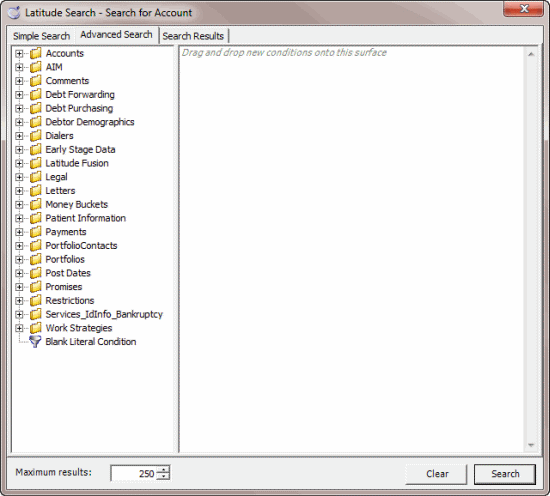
Click the Advanced Search tab.
-
Click the plus sign (+) next to a folder to expand it.
-
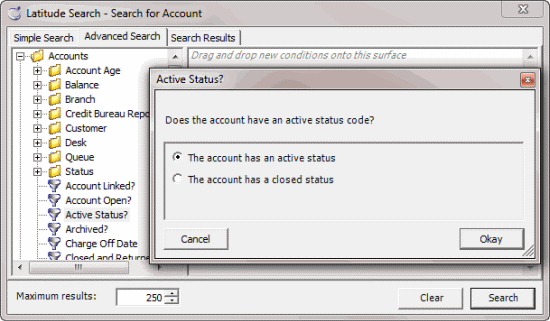
Drag and drop a condition into the Conditions pane. A dialog box displays to allow you to specify the criteria.
The title of the dialog box and the information displayed depends on the condition selected. In the following example, the user dropped the Active Status condition in the Conditions pane, causing the Active Status? dialog box to appear.
-
In the dialog box, specify the criteria and then click Okay. The condition appears in the Conditions pane. In the following example, the condition indicates you want to search for accounts with an active status.
