


- Contents
Search Results
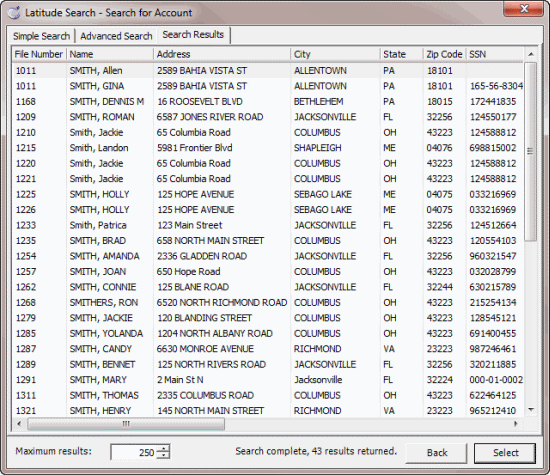
Use the Search Results tab in the Latitude Search - Search for Account window to view the results of your search and select an account to display in the Work Form.
To open the Search Results tab
-
Search for an Account or Search for an Account Using Conditions. The Search Results tab appears.
-
To limit the maximum number of results that display, in the Maximum results box, type the maximum number or use the arrows to increase or decrease the number. The lower the number, the less it affects system performance.
-
To sort the results, click a column heading. The first time you click a column heading, the system sorts the results in ascending order. The second time you click it, the system sorts the results in descending order.
-
To open an account in the Work Form, do one of the following:
-
Double-click the account.
-
Click the account and then click Select.
Note: While the Work Form is open, the system retains the last search criteria that you specified. You can clear or adjust the criteria and do another search.