


- Contents
View Payments for a Desk
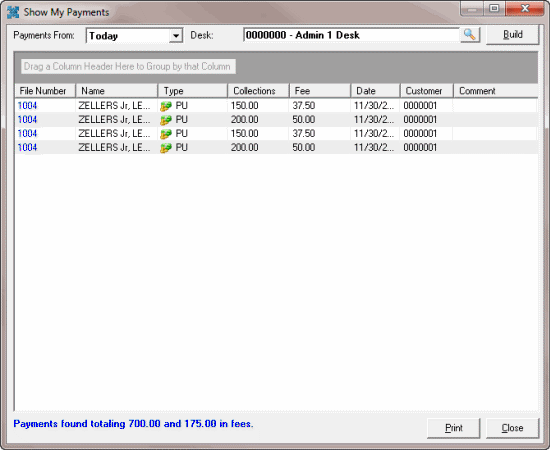
Use the Show My Payments window to view payments for the current day, month-to-date, or year-to-date that the system applied against your desk. If you have the appropriate permissions, you can view payments for other desks.
To view payments for a desk
-
With an account displayed in the Work Form, from the Payments menu, click Show My Payments. The Show My Payments window appears.
-
In the Payments From list box, click the time frame to display payments.
-
If you have the appropriate permissions and you want to change the desk, see Change the Desk.
-
Click Build. Payments and adjustments for the selected time frame and desk appear. Totals appear at the bottom of the window.
-
To print the information, click Print.
-
To display an account in the Work Form, in the File Number column, click the file number.