


- Contents
Modify an Extra Data Code
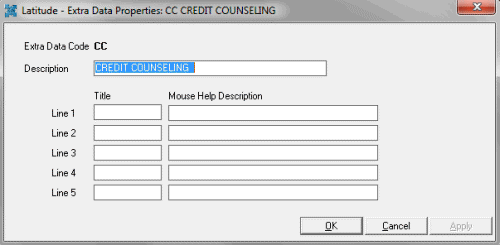
Use the Extra Data Properties dialog box to modify an extra data code.
To modify an extra data code
-
In the Main Menu window, from the Maintenance menu, click System Codes and Settings. The Latitude Maintenance window appears.
-
In the Navigation pane, click the Extra Data folder.
-
In the Information pane, double-click the extra data code, or right-click the extra data code and then click Properties. The Extra Data Properties dialog box appears.
-
Modify the information and then click OK.