


- Contents
Latitude Console Help
Add a Client Group
Use the New Custom Group dialog box to add a client group.
To add a client group
-
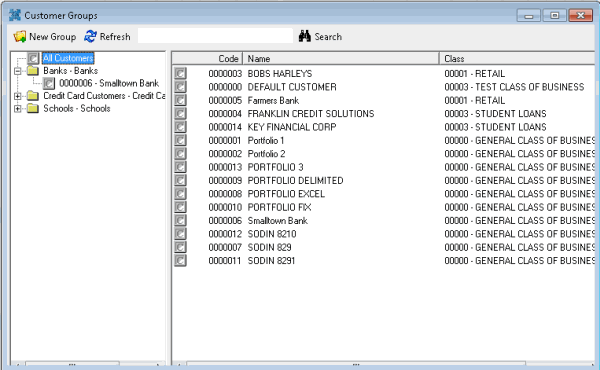
In the Main Menu window, from the Maintenance menu, click Custom Customer Groups. The Customer Groups window appears.
-
From the menu bar, click New Group. The New Custom Group dialog box appears.
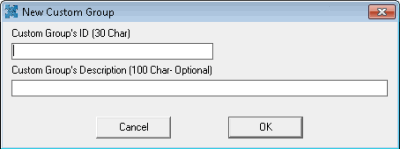
Custom Group's ID: Unique code that identifies the client group. Latitude Console limits the ID to 30 characters.
Custom Group's Description: Description of the client group. Latitude Console limits the description to 100 characters.
-
Complete the information and then click OK.
-
To assign a client to the client group, see Add a Client to a Client Group.
Related Topics