


- Contents
Interaction Reporter Help
IVR Exit Path Report
The IVR Exit Path report lists each menu in each application and shows the number of calls that exited the IVR (auto attendant) at that level during the specified time period. It also shows related statistics, such as what percent of abandoned calls in that period were abandoned on each menu, the average amount of time the caller spent in that menu before abandoning, the total time all callers spent in that menu during that period, and the total percentage of time callers spent in that menu.
Parameters
You specify a range of dates/times, level, and site ID to include in the report. IC sorts this report by the Interaction Attendant application and menu names in the IVR.
|
Report Log Tables |
Interaction Administrator Unique Report Identifier |
|
IVR Interval |
IVR_EXIT_PATH_NAME |
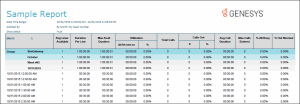
Sample report
Click on the image below to view a sample of this report.
|
Report Element |
Report Field or Value |
Field or Value Description |
|
Site ID |
SiteId (Integer) |
Site Identifier of site reporting data |
|
Menu/Exit Path |
cExitPath |
Path for which this data is reported |
|
Calls Exited |
{CALCULATED} |
|
|
% of Calls |
{CALCULATED} |
|
|
Avg IVR Duration |
{CALCULATED} |
|
|
Total Time |
{CALCULATED} |
|
|
% Time |
{CALCULATED} |
|
|
Application |
|
|
Record Selection Criteria:
{IIVRstats.dIntervalStart} in {?DateTime} and
{IIVRstats.SiteId} in {?SiteId} and
{IIVRstats.nLevel} in {?Level} and
{IIVRstats.cExitPath} in {?ExitPath}
and
{IIVRstats.cExitPath} <>"*"
and
{iivrstats.nexitcode} in {?ExitCode}