


- Contents
Interaction Reporter Help
Schedule Adherence and Conformance Detail Report Help
Report View Toolbar
When viewing a report in the Workspace, several options are available from the Report View Toolbar. To learn more about these options, on the graphic below pause the mouse pointer over a button to display its function, and click to display more information.

Exporting a Report
You can Export a report to a Formatted or Unformatted file type. To
export a report, on the main toolbar, click the Export button  .
On the drop-down menu, point to Formatted
or Unformatted. Available Formatted
file types are: Excel, HTML, PDF, or Text. The available Unformatted file
type is CSV.
.
On the drop-down menu, point to Formatted
or Unformatted. Available Formatted
file types are: Excel, HTML, PDF, or Text. The available Unformatted file
type is CSV.
Schedule Adherence and Conformance Detail Report
The Schedule Adherence and Conformance Detail report displays detailed information on an agent's adherence and conformance by date.
The report details are grouped by Workgroups and Agents. The report details include:
-
Date
-
Adherence percentage by date
-
Conformance percentage by date
-
Agent name
-
Adherence percentage by agent
-
Conformance percentage by agent
-
Scheduled time
-
Scheduled duration
-
Scheduled activity
-
Actual time
-
Actual duration
-
Actual activity*
-
Exceptions
* The Actual Activity could contain multiple values if multiple status changes for the same activity type happened with the period of start time and end time slot.
Parameters
Use the following parameters to include or exclude data on the report. For example, if you do not specify an Exception Filter parameter, all Exceptions are included in the report. If you specify an Exception Filter, only the Exceptions that match the one you specified are included in the report. Parameters are displayed in the header section of the report. Required parameters are included in the header. The remaining parameters are included in the report header only if you specified them when you ran the report.
The following parameters can be specified for the Schedule Adherence and Conformance Detail report:
-
Date Range (required)
-
Time Zone (required)
-
Group By (required)
-
Exception Filter
-
Order By
-
Scheduling Unit (required)
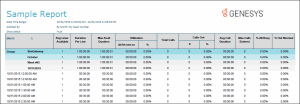
Sample Report
Click on the image below to view a sample of this report.
Report Elements
|
Report Element |
Type |
|
Title |
String |
|
Date Time |
DateTime |
|
SiteID |
Numeric |
|
Workgroups |
String |
|
Agents |
String |
|
Scheduling Unit |
String |
|
Timezone |
List |
|
Exception Filter |
List |
Stored Procedure
This report does not use stored procedures to retrieve information from the database. The data for the report is retrieved directly from an Optimizer API.