


- Contents
PureConnect Release Notes
Enhancements to Interaction Process Automation
This section describes several new features in Interaction Process Automation:
IPA Custom Data Types
Custom data types provide customers greater out-of-the-box flexibility to define the information to capture and track within a given process. Custom data types also support more advanced use of web services.
Custom data types support the definition of either simple or complex data types. Simple data types are extensions of basic data types, with constraints. For example, a simple data type might be a piece of information that must display in a specific pattern or with a specific format. A simple data type might be a 9-digit zip code.
Complex data types are “containers” that hold basic, simple or other complex data types. A complex type can represent, for example, a Customer that includes the first name, last name, company, email, address, city, state and zip code.
Process authors can now easily create custom data types within IPA Process Designer and can use them to supply input data when launching a process. For example, the customer information associated with the process could be passed in for use in the process.
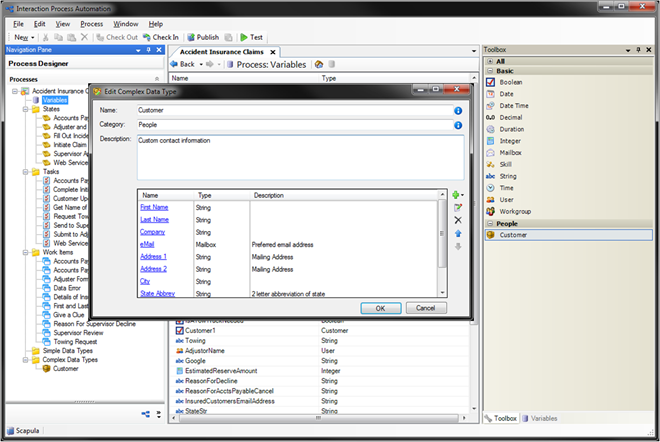
IPA Custom Data Types
IPA Database Integrations
IPA now supports a new set of actions for faster and simpler database integration. These new database actions are available in the IPA Process Designer toolbox. Like other actions, you can add database actions into a process flow by simple drag-and-drop and configuration. Process authors can now do the following:
-
Choose from a list of all data sources available on their IC server (configured as a provider in Interaction Administrator).
-
Specify a production or development database.
-
Build in database operations to select, update and delete from a database, run stored procedures, and incorporate custom SQL statements - all without using handlers.
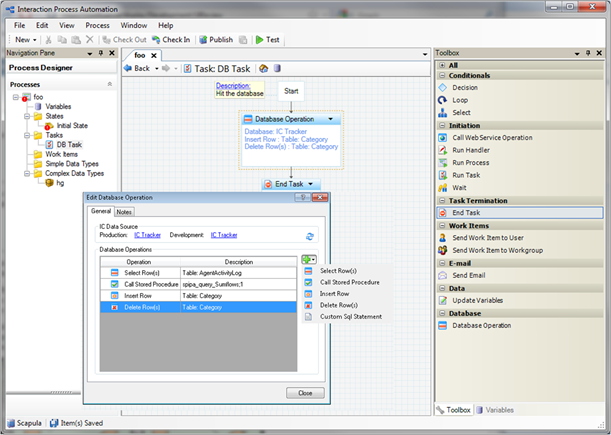
IPA Database Integrations
IPA Integration to Microsoft SharePoint
The IPA integration for SharePoint enables customers to leverage their investments in Microsoft SharePoint and work seamlessly in both applications.
The integration allows customers to do the following:
-
Access SharePoint documents from an IPA process - This feature provides a hyperlink in an IPA work item that links to a piece of content in SharePoint. The content can be anything that resides in a SharePoint list (for example, a document, an image, or a form.
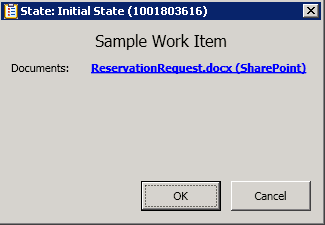
SharePoint Link in an IPA Work Item
-
Browse and link to SharePoint content (lists, libraries, list items, and so on) from IPA Process Designer.
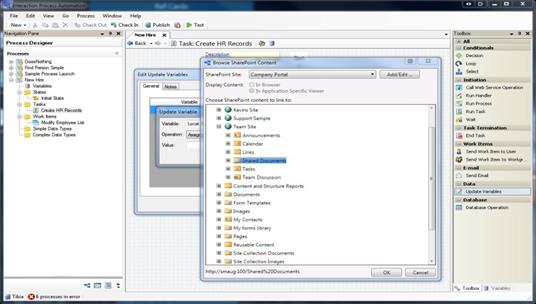
Browse from IPA Process Designer Interface
-
Work with SharePoint content in IPA work items. Users can access SharePoint content from an IPA work item that contain embedded browser controls: images, Excel documents, InfoPath documents, and with SharePoint 2010: Word, PowerPoint, One Note, Visio, or any other document type supported by Microsoft Office Web Apps.
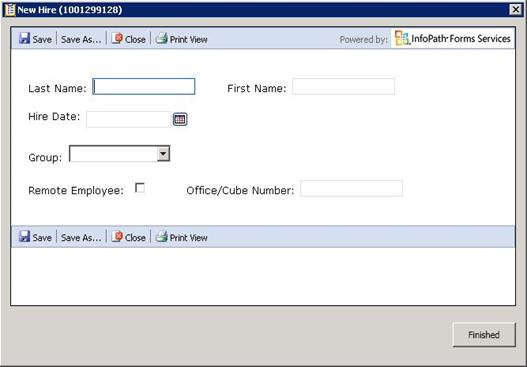
Work with SharePoint Content from an IPA Work Item
-
Initiate IPA processes from SharePoint. Launch an IPA process whenever a list or document library is updated.

Initiate IPA Process from SharePoint
In-process Search
Process authors can now use two powerful search tools to improve usability when designing process flows.
-
The Search Text tool displays all instances of a text string within a process.

Search Text Tool
-
The Show Usage tool displays all occurrences of a particular variable, action, or task within a process.
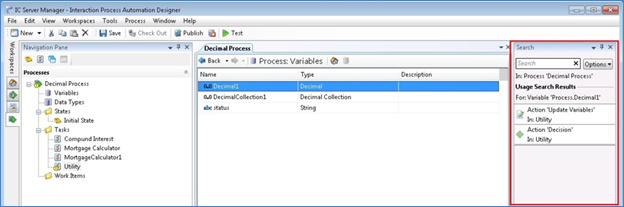
Show Usage Tool
Enhanced Time-out and Error Support
A new tab in the IPA Run Handler, Call Web Service, and Database actions allows users to specify how to handle a timeout or error condition. If error handling is selected, a new output is added to the action so that a user can handle it appropriately. Also, a new pickup timeout for the Route Work Item to Workgroup Queue action works the same way as the existing timeout for the Route Work Item to User action.