


- Contents
- Index
Interaction Recorder Client for IC Business Manager Help
Delete a Recording
Use the Search Results View to delete a recording. When a search is run, a list of recorded interactions is displayed in a grid in the Search Results View in the Workspace.
To delete a recording:
- From the Search Results View, select a recorded interaction in the Recordings grid.
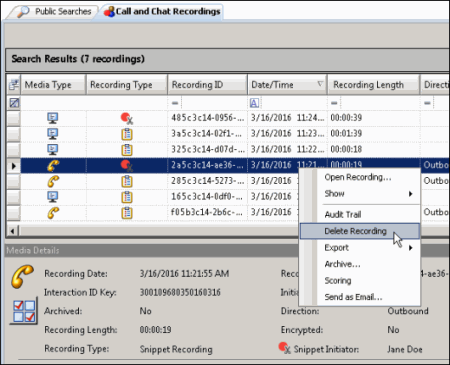
- Right-click, and on the shortcut menu, click Delete Recording.
Or
After selecting the recorded interaction in the Recordings grid, press the Delete key. - A message is displayed, requesting your confirmation to delete the recording.
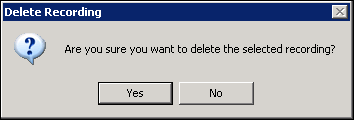
To delete the recording, click Yes.
Note If there is a Screen Recording related to the recording you are deleting, you will be prompted to delete the related Screen Recording.