


- Contents
- Index
Interaction Recorder Client for IC Business Manager Help
E-mail a Recording
You can send a recording in an e-mail. From the Search Results View, select the recording to be sent in an e-mail. Right-click the recording, and on the shortcut menu click Send as E-mail.
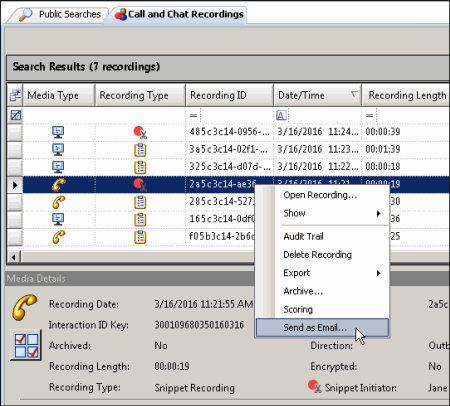
Note You cannot e-mail a Screen Recording. If a Screen Recording is selected in the Search Results View, when you right-click, the shortcut menu does not have the Send as E-mail command.
On the Send Recording E-mail dialog, click To and in the Search For box type an e-mail address, and click Add. Add additional recipients, and when finished, click OK.
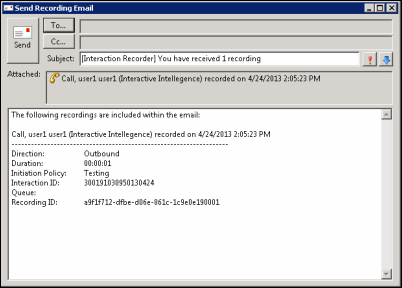
Click Send to send your recording.
Note When sending an Opus recording in an email, the recording is sent as an .opus file attachment.
Related Topics
Working with Scorecard Search Results