


- Contents
Add / Edit Carrier Summary
Use Add or Edit Carrier Summary to add or Edit detailed account information of the Carrier.
To Add a career summary, do the following.
1. click the Add from the Account list.
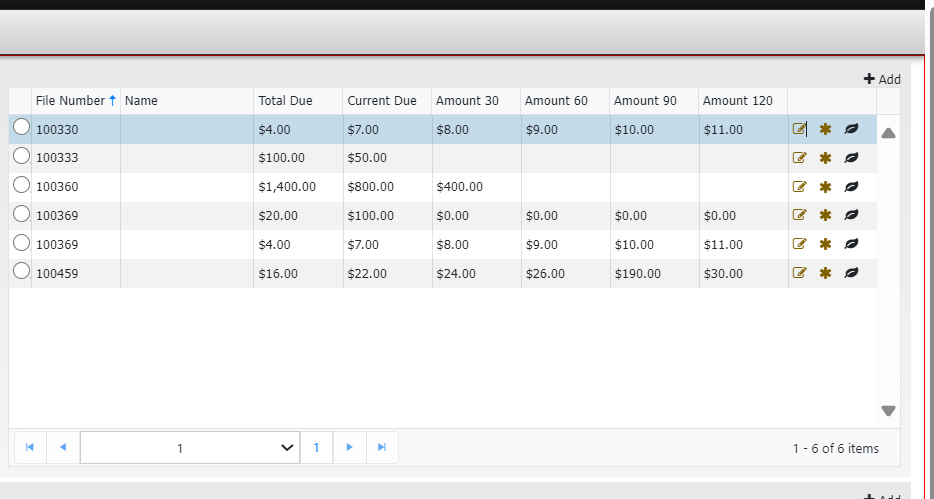
2.. Click the Healthcare tab and click Add.
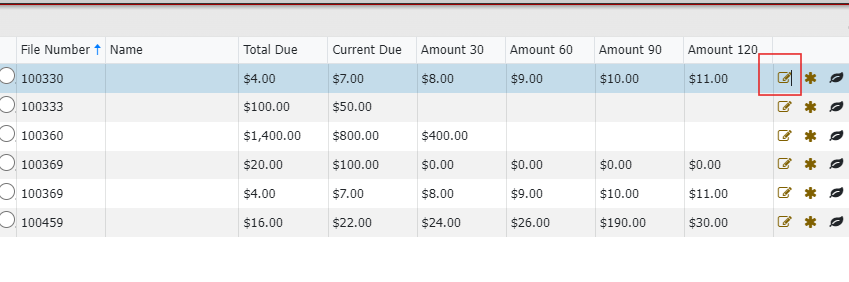
3. To Modify the carrier Summary, Click Edit.
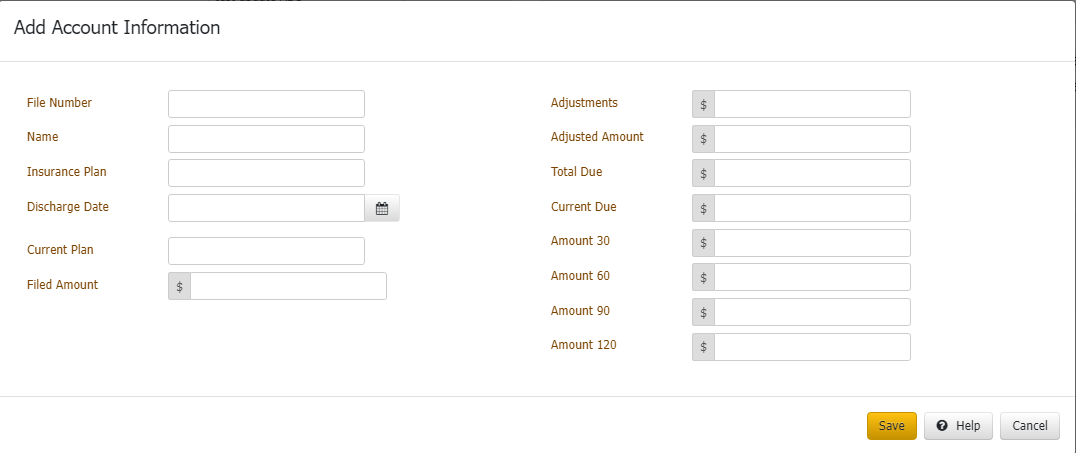
4. Following Details can be modified.

File Number: A unique number given to the Account.
Name: It is the person’s name who holds the account.
Insurance Plan: Plan chosen by the account holder.
Discharge Date: Date of discharge mentioned in the discharge summary.
Current Plan: Existed Insurance plan.
Filed Amount: Amount filed as per the carrier.
Adjustments: amount if there are any adjustments.
Adjusted Amount: remaining amount out of filed amount.
Total Due: Total value which is due.
Current One: Current Value.
Amount 30: Value of 30.
Amount 60: Value of 60.
Amount 90: Value of 90.
Amount 120: Value of 120.
Roll up: Values are rolled up.
Worked: After clicking on worked, pop-up message shows as " Account Updated."

3. Click Save.
Related Links