


- Contents
Interaction Process Automation Designer Help
Deleting a Web Service
To delete a web service definition from a process:
-
In the dialog box for the Call Web Service action:
-
Expand the Web Service drop-down list and select the desired web service.
-
At the right end of the list box, expand the value list box and click Edit (see figure).
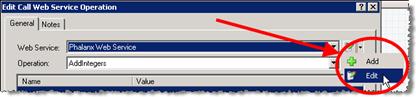
IPA Designer displays the Web Service Settings dialog box.
-
-
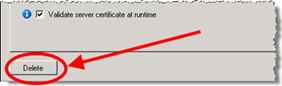
In the lower right corner of the dialog box, click Delete (see figure).
-
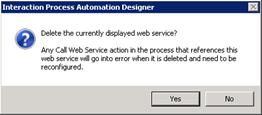
IPA Designer asks you to confirm the deletion (see figure):
-
Click Yes.
IPA Designer deletes the web service definition.
Any Call web service actions that used this web service will go in to error because they no longer have a valid web service selected.
Tip: An easy way to delete a web service without changing the web service used by an action is to add a new Call Web Service action to a task; edit the action; select the web service to delete; click Edit; delete the web service; close the Call Web Service action editor; and then delete the action.