


- Contents
IPA Work Item Client Help
Activate workgroup status and display queues
To receive ACD-routed work items, log on to Customer Interaction Center (CIC), set your workgroup activation status to Active, and set your user status to an "Available" type. You also need the appropriate IPA license.
Requirements
-
To change your workgroup activation status, you need the "Activate self" Access Control right for the selected workgroup. You must also be a member of that workgroup.
-
For the workgroup queue view to be available, the workgroup must have an ACD queue and the CIC administrator must configure the workgroup as "Active."
-
To display a workgroup queue view, you need the View Workgroup Queues right for the designated workgroup.
-
Click Workgroup activations.
-
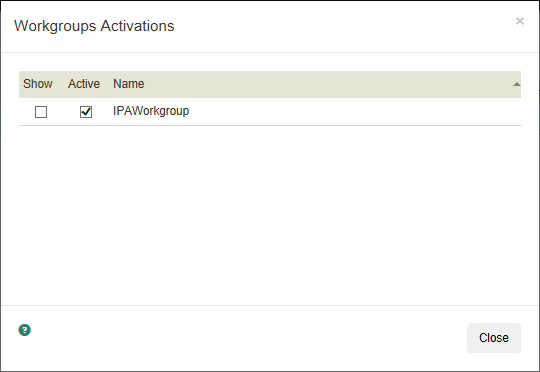
In the Workgroups Activations dialog box, do any of the following:
-
-
To display a workgroup queue view, in the Show column, select the appropriate check box. Or clear it to hide the view.
-
Note: A workgroup queue view displays only the alerting work items in this queue.
-
-
To activate your workgroup status, in the Active column, select the appropriate check box. Or clear it to set your status to inactive.
-
-
Click Close.
Related topics