


- Contents
PureConnect CX Insights Help
Exit Path Details by Interval Dashboard
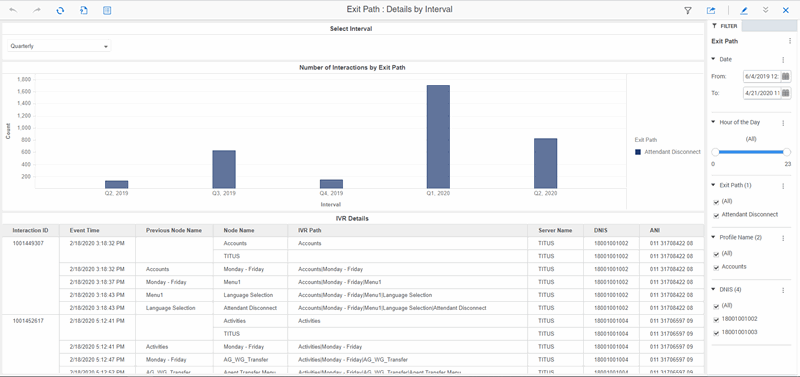
The Exit Path Details by Interval dashboard displays information on the number of interactions by Exit Path for the selected Interval, such as Daily, Weekly, Monthly, or Quarterly.
The visualizations for the Exit Path Details by Interval dashboard include the Select Interval, Number of Interactions by Exit Path and the IVR Details grid.
You can include or exclude data in your dashboard visualizations using the filters Date, Hour of the Day, Profile Name, Exit Path, and DNIS.
Dashboard Visualizations
The following visualizations are displayed in the Exit Path Details by Interval dashboard.
Number of Interactions by Exit Path
This visualization displays the number of interactions completed by Exit Path for each interval of the selected date.
IVR Details
This grid visualization displays IVR interaction details, including: Interaction ID, Event Time, Node Duration, Node Name, Previous Node Name, IVR Path, Server Name, DNIS, ANI, Node Path, and Exit Path.
To know about the elements used in the Exit Path Details by Interval dashboard, see IVR Dashboards Data Dictionary.